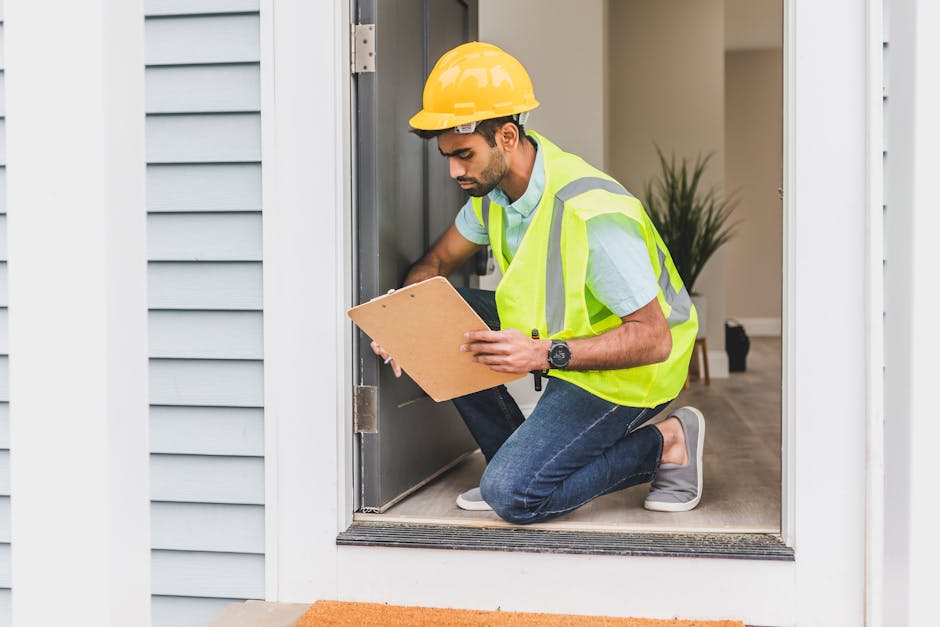
You can tell a lot about your home’s safety by how it treats air and heat—especially when the controls are network-connected. In 2026, many thermostats, air-quality monitors, and HVAC controllers share data with apps, and that means your “comfort settings” also have a security story. When I audit homes, the biggest surprises are usually the simple ones: wrong sensor placement, filters people never touch, and settings that let HVAC run when it shouldn’t.
Quick answer: Audit in three passes—energy (what uses power and why), air quality (what the sensors actually mean), and security (who can change the controls). If you do those in order, you catch most problems fast and avoid chasing ghosts.
Start with the audit checklist: energy + air quality + control security
A home energy and air quality control audit is really three audits in one. Energy checks stop waste. Air quality checks stop comfort problems and health risks. Security checks stop unwanted changes and unsafe automation.
Here’s my practical order, because it works even if you’re busy: first verify the physical stuff (filters, vents, wiring), then verify the sensors and schedules, then verify how the devices are controlled (local vs. remote, account access, notifications).
What “air quality controls” includes (so you don’t miss parts)
Air quality controls is more than one sensor and one app. In a typical home, you’ll see some mix of HVAC controls, fans, dampers, and sensors like CO2 (carbon dioxide), VOC (volatile organic compounds), PM2.5 (fine particle dust), and humidity.
- Ventilation control: fresh-air intake, exhaust fan, or ERV/HRV settings
- Air cleaning control: portable HEPA units or whole-house filtration
- Comfort control: temperature and humidity targets
- Safety interlocks: smoke/fire alarms calling HVAC to a safe mode
Definition: A “control audit” is checking that the device settings match how the system is built and how the system is used. If the control says “fresh air,” you should verify dampers or ventilation actually respond.
Pass 1: Audit energy use controls (thermostat, zoning, schedules, and heat pumps)
Energy problems usually come from two places: settings and hardware limits. During an audit, I look for controls that keep heating or cooling longer than they need to, and I look for rules that conflict with how your home actually loses heat.
1) Map your heating and cooling control logic
Write down what you have and how it’s supposed to work. For example: “Heat pump heats to 21°C when someone is home, then drops to 18°C at night.” That one sentence tells you where waste might start.
Then check for overlaps like:
- Zone controls that fight the main thermostat
- Multiple schedules for the same device (app + thermostat + automation platform)
- “Smart” modes that ignore humidity or occupancy
Common mistake: People set a comfortable temperature but forget the humidity target. If your indoor humidity stays too high, the system runs more to cool the air, which can also raise energy use.
2) Check temperature swings and cycle length
Look at how often the system turns on. Short cycling (on/off every few minutes) usually means poor sensor placement, a wrong stage setting, or an airflow issue. Long cycling can mean airflow is blocked or the system can’t reach its target.
Practical method: for two days, note when heating/cooling starts and stops. If you see many “flips” in small windows, investigate filters and vents first before changing settings.
3) Verify airflow paths before blaming the thermostat
In audits, I always start with the simple physical checks because they explain a lot. Make sure supply vents aren’t blocked by furniture, and return vents aren’t covered by rugs or storage.
For forced-air systems, check that dampers open and that registers aren’t stuck. For heat pump systems, airflow matters because poor air movement reduces heat transfer.
4) If you use a heat pump, check defrost and auxiliary heat behavior
Heat pumps are efficient, but their control must be correct. In cold weather, the system switches into defrost cycles; if auxiliary heat turns on too easily, energy use jumps.
What to do: check your equipment manual for the defrost/aux heat thresholds, then compare them to current app settings. If you don’t have the manual, look up the exact model on the manufacturer site and confirm the settings.
Pass 2: Audit air quality controls (sensors, ventilation, filters, and humidity)
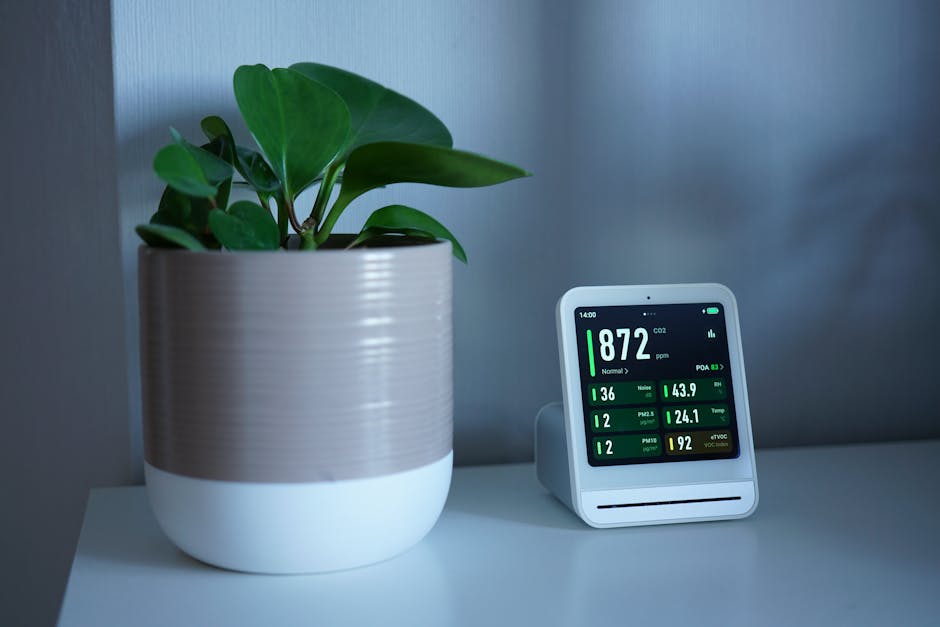
Air quality audits are where people get tricked by “numbers.” A sensor reading is only useful if it’s placed correctly and if the HVAC actually responds to it.
1) Place sensors so they can see “true” air, not one corner’s air
CO2 and VOC sensors can be very accurate, but they can still lie by location. If a sensor sits near a doorway, next to a window with drafts, or right over a vent, it will measure conditions that don’t match the rest of the room.
My rule: place sensors about at breathing height (roughly 1–1.5 meters), away from direct airflow, and not right next to kitchens, candles, or fireplaces. If your sensor has a screen, also make sure it’s not in direct sunlight.
2) Calibrate your expectations: what thresholds actually mean
Here’s a grounded way to interpret common indoor air metrics. Targets vary by lifestyle and local building standards, but the idea is consistent.
| Metric | What it indicates | Control impact |
|---|---|---|
| CO2 | Ventilation level and occupancy | Triggers fresh-air boosts when it rises |
| Humidity | Mold risk + comfort | Should change run times and dehumidify actions |
| PM2.5 | Particles from cooking, dust, smoke | Should speed filtration or ventilation |
| VOC | Cleaning fumes, off-gassing, some odors | Should improve ventilation and airflow patterns |
Real-world example: In one home, the CO2 sensor sat near a hallway return vent. It showed “good” numbers while the bedrooms were stale. The fix wasn’t new tech—it was moving the sensor and adjusting the ventilation schedule.
3) Verify ventilation control actually works (not just “enabled”)
Many setups show a toggle like “Auto ventilation,” but the dampers or ERV settings might be wrong. Test it.
Do this test once during a quiet time: set the system to a known state (for example, “occupied” or “high ventilation”), then listen and check that the expected fan or damper changes happen. If you can’t tell, use your phone’s microphone to record sounds next to the unit (short recordings help).
4) Filters: audit the dates and the fit
Filters are the most neglected control in most homes. People remember to replace them right after a problem, not as a routine.
During an audit, do two checks: (1) confirm the filter size and type matches the system requirement, and (2) verify the filter is sealed properly so air can’t bypass it around the edges.
Practical timeframe: in homes with pets or cooking smoke, check monthly and replace every 1–3 months. In cleaner conditions, 3–6 months can work, but only if airflow doesn’t drop.
5) Balance humidity to prevent “comfort fighting”
Humidity control is where security thinking helps, because it prevents unsafe hidden conditions like mold growth. Mold often grows when humidity stays high for long stretches.
Simple target: keep indoor humidity around the mid-range (many homes do well around 40–55%). If humidity climbs when HVAC should be cooling, it may mean airflow is weak, ducting leaks exist, or the dehumidification mode is set wrong.
Pass 3: Audit control security (accounts, permissions, automations, and failsafes)

Energy and air quality controls don’t just keep you comfortable. If someone changes them, they can increase risk—like running the system at unsafe times or disabling ventilation.
I treat this like a home security audit. It’s not about paranoia. It’s about reducing the chance that a stolen password or misconfigured automation causes a real problem.
1) Check who has access to your HVAC and air-quality apps
Start with the app itself. Remove old users, review shared access, and make sure “family” accounts aren’t still active for people who no longer live there.
Turn on multi-factor authentication (MFA) for your HVAC and air-quality accounts. MFA is a second check, like a code on your phone, that stops most casual account takeovers.
2) Lock down remote access paths
Some systems offer remote control through a cloud service. Others also expose local control over Wi‑Fi. Either way, remote access should be intentional.
- Keep the app updated (security fixes land in updates).
- Use strong, unique passwords (not the same password you used for email).
- Disable guest access on your home Wi‑Fi unless you need it.
- Review router logs if your setup supports it.
3) Audit automations: what triggers what?
Automations can be safe or dangerous depending on how they’re written. A common issue is a rule that says “if CO2 is high, increase ventilation,” but the ventilation method only works when the system is in a certain mode.
Write down every trigger-action pair. If you use a smart home platform, check for overlapping automations that may run at the same time.
4) Confirm failsafes and emergency behavior
At minimum, you want your HVAC to behave safely when something serious happens. For example, smoke alarms may call for fan shutdown or a safe ventilation pattern.
Test only in a safe way. For many systems, you can check configuration screens without triggering emergency states. If you have uncertainty, ask a qualified technician. This is one of those moments where guessing costs more than it saves.
People also ask: common questions about auditing energy and air quality controls
How do I know if my thermostat or controller is reading wrong?
If your rooms feel different than the thermostat shows, start with placement. Move the thermostat away from direct sunlight, drafts, and kitchens. Then compare it to a separate cheap thermometer placed in the same room, about 1–1.5 meters high.
If the gap stays consistent over a week, calibrate if your model allows it. If it changes day to day, focus on airflow and HVAC cycle settings instead.
Why does my air quality sensor show “good” numbers but the house still smells?
Because “good numbers” can still happen when the sensor can’t see the problem. Smells often come from localized sources like cooking, cleaning products, or a bathroom vent.
Fix: move the sensor away from vents and sources, and add ventilation tests. If the smell tracks with a specific room, that’s a clue the ventilation path or exhaust fan schedule is wrong.
What is the fastest way to reduce energy use during an audit?
Lower the amount of time you run heating or cooling when no one needs it. Start by cleaning schedules, removing duplicate routines, and setting realistic targets. Then reduce waste from airflow issues by checking filters and making sure vents aren’t blocked.
The “fast win” is usually restoring correct airflow and fixing conflicting schedules—those two can cut wasted run time quickly.
Can air quality control upgrades improve home safety?
Yes, when they’re set up correctly. Better ventilation and filtration reduce exposure to particles and some gases. They also help avoid humidity conditions that lead to mold.
But upgrades don’t fix bad placement or wrong triggers. A high-tech sensor in the wrong spot is still just a number.
What most people get wrong: the three audit traps
Most audit failures aren’t due to lack of effort. They come from predictable traps.
Trap 1: Changing settings before fixing airflow
If airflow is blocked, your HVAC can’t hit targets no matter how smart the app looks. Fix filters, vents, and duct leaks first. Then adjust schedules.
Trap 2: Ignoring humidity because “it feels fine”
Comfort is not the same as safety. A home can feel okay while humidity stays high enough for mold to start, especially in corners and behind furniture.
Trap 3: Treating security as “optional”
If you can change your ventilation schedule from anywhere, someone else might too. Lock access with MFA, remove old accounts, and review automations carefully.
A practical 60-minute audit you can do this week
If you want something concrete, here’s a simple plan that fits into one evening.
- 10 minutes: Check filters for correct size and install date. Look for blocked vents and return grilles.
- 15 minutes: Review your main heating/cooling schedule(s) in the thermostat and app. Remove duplicates and confirm occupancy modes.
- 15 minutes: Check sensor placement for CO2/VOC/PM2.5. Make sure it’s not near vents, windows, or kitchens.
- 10 minutes: Run a simple ventilation behavior test. Change to a higher ventilation mode and verify fan/air changes happen.
- 10 minutes: Security sweep: enable MFA, remove old user accounts, and check automation triggers for conflicts.
After that, write down what you changed and watch results for two days. Most meaningful issues show up fast—either in energy run time, CO2 patterns, or humidity.
When you should call a professional (and what to ask)
Some parts of an audit need real tools or on-site knowledge. If you smell burning, hear loud knocking, see water damage, or notice electrical issues around HVAC wiring, stop and call a technician.
Otherwise, you can still ask for help with specific questions. I recommend asking about airflow testing (measuring actual air movement), ventilation balancing, and verifying heat pump control settings in cold weather.
If you’re planning upgrades for heating, ventilation, or air conditioning, it also helps to match the system to your home. For example, selecting the right type of equipment and accessories can affect comfort and how well air-quality controls work. A good place to start browsing options is termo1, especially if you’re comparing air conditioners, heat pumps, and ventilation equipment for a whole-home setup.
Conclusion: audit in three passes and make your comfort harder to sabotage
The goal isn’t “perfect” air or “lowest possible” bills. The goal is predictable control: energy use that makes sense, air quality that tracks the rooms you actually live in, and safety settings that can’t be changed by accident.
Do this the same way I do it: pass 1 for energy logic and airflow, pass 2 for sensor meaning and ventilation response, and pass 3 for security access and automation triggers. If you finish all three, your home’s energy and air quality controls become not just smarter—more reliable and safer in real life.
If you’re also tracking this across devices and accounts, you’ll get more value from your setup by reviewing how other home systems are protected too. Our blog covers related security topics in a practical way, including Cybersecurity News and Tutorials & How-To that focus on real-world household risk, not hype.
Finally, remember this: the best “smart home” is the one that fails safely and explains itself. Your audit should leave you with a short list of fixes you can prove—by how the system behaves, not just by what the app shows.
Image SEO note (for your CMS): Use an image showing a thermostat app screen next to an air-quality sensor and HVAC vent. Alt text example: “Home energy and air quality controls audit with thermostat and air sensor readings in 2026.”