

Most security failures don’t start with exotic zero-days. They start with predictable paths: a missing authorization check, a token that’s valid longer than anyone realized, or an admin workflow that “only internal users” can trigger—until it isn’t. In 2026, the fastest way to reduce those surprises is Threat Modeling for Non-Experts using a tool that even product and ops teams can reason about: attack trees.
Attack trees are a structured way to map how an attacker achieves a goal. In plain terms: you write down the bad outcome you fear, then break it into the smallest steps that make it happen. When you do this early—before code is frozen or vendors are selected—you catch weaknesses that pen tests and bug bounties often find too late.
I’ve used attack trees in real projects where the team had no formal security training. The pattern was consistent: once people saw the “how” (not just the “what”), risk became tangible, and fixes got funded quickly.
Threat Modeling for Non-Experts: Why attack trees beat checklists
Attack trees turn vague risks into concrete attack paths. That’s the core advantage for Threat Modeling for Non-Experts: you’re not guessing which control matters most—you’re showing how an attacker would chain weaknesses to reach impact.
Most teams start with checklists (“Do we have MFA? Are dependencies updated?”). Checklists help, but they don’t model sequencing. Attackers rarely use just one weakness. They combine small gaps: weak session handling + exposed endpoints + missing rate limits + an over-privileged service account.
Attack tree definition: an attack tree is a hierarchical diagram where the root is an attacker goal (like “steal customer data”), and branches represent alternative methods and sub-steps required to achieve that goal.
Here’s an example goal that shows why sequencing matters. Suppose you’re building a web app with an admin panel. A checklist might say “We have RBAC.” An attack tree can still reveal that “RBAC” isn’t enforced in one admin API endpoint, or that “admin actions” are triggered through a background job that runs with a too-wide token.
Core concepts you need before building an attack tree (no jargon required)
Before you draw anything, learn three concepts: attacker goals, AND/OR decomposition, and assumptions. That’s enough to do effective Threat Modeling for Non-Experts without needing a graduate-level security background.
Attacker goal vs. impact vs. method
An attacker goal is what the adversary wants. Impact is what happens to your system or users if the goal succeeds. A method is the technique they use to get there.
Example:
- Goal: “Modify payroll records.”
- Impact: “Employees are paid incorrectly; legal exposure increases.”
- Method: “Exploit an authorization gap in the payroll update API.”
The same impact can come from different goals. Payment fraud might be a goal, but it can be achieved by “steal credentials” or “tamper with invoice processing” depending on your architecture.
AND vs. OR gates (this is where most first-timers stumble)
Attack trees use logic gates:
- OR: any one branch can satisfy the parent step (multiple paths).
- AND: all branches must happen in sequence (chained requirements).
What most people get wrong: they draw “everything that sounds suspicious” as siblings under OR. That turns a precise model into a messy brainstorm. Use OR for alternatives and AND for requirements.
Simple rule I use in workshops: if you can say “you only need X to do Y,” it’s OR. If you can say “you need X and then Z to do Y,” it’s AND.
Assumptions and “trust boundaries” in plain English
Assumptions are statements you’re making about the world. Trust boundaries are places where you switch from “we control it” to “we don’t.” Examples include public internet vs. internal network, user browser vs. backend API, or a SaaS provider vs. your own infrastructure.
In 2026, trust boundaries are rarely “just networks.” They’re also services. If your app calls a third-party payment API, you’re trusting their responses and error semantics. Attack trees should explicitly include those boundary points.
Step-by-step: Build your first attack tree in 60–90 minutes
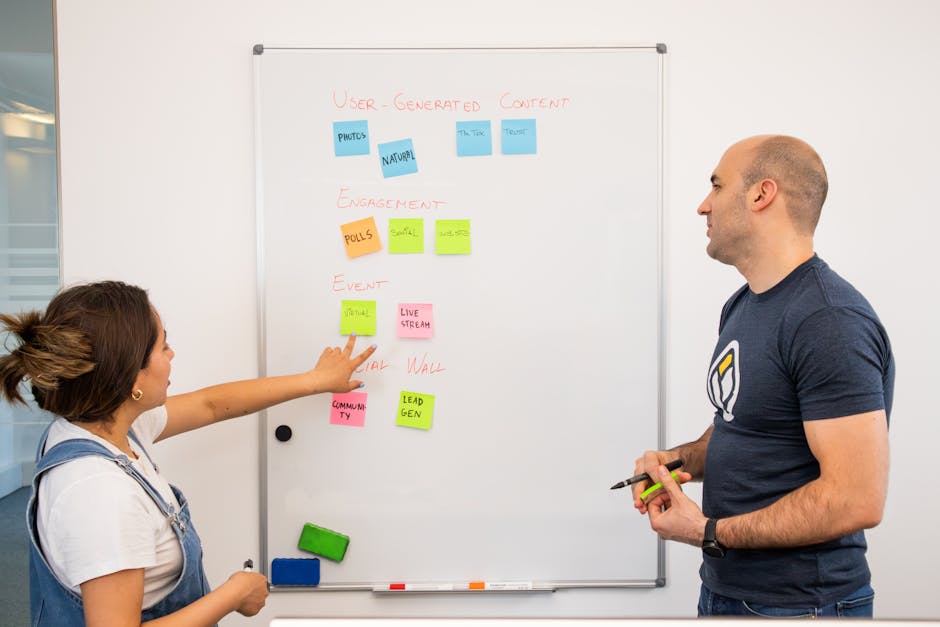
If you’re new to Threat Modeling for Non-Experts, start small. One tree for one feature beats a dozen half-finished trees for everything.
Step 1: Pick a realistic attacker goal tied to a feature
Choose one feature that matters and has clear boundaries. Examples that work well in workshops:
- User login and session management
- Password reset flow
- Admin panel actions
- Webhook processing (incoming events)
- File upload and download
- Customer support “impersonation” tooling
Use goals that a real attacker would care about. “Steal data” is broad; “steal export files for the last billing cycle” is sharper.
Step 2: Write sub-steps as requirements (AND) and alternatives (OR)
Now break the goal down. Start with the first logical question an attacker must answer: “How would they start?” Then “How would they escalate?” Then “How would they complete the action?”
Here’s a compact example for a webhook endpoint:
- Goal: “Trigger unauthorized order cancellation.”
- OR alternatives: cancel via webhook spoofing OR cancel via stolen admin session.
- AND chain (webhook path): attacker obtains a valid signing secret OR finds a way to bypass signature checks AND passes the right event type AND hits the cancellation API without authorization.
The key is that AND steps represent practical sequences. If you find yourself listing ten weaknesses under a single AND without ordering, you’re likely mixing gates.
Step 3: Add “what would make this fail” as control checks
This is where you stop being purely descriptive and start being actionable. For each leaf node (the smallest step), ask: what control breaks that step?
Leaf-node control examples:
- Authorization middleware enforced for every endpoint
- Signature verification for webhooks with strict timestamp windows
- Rate limiting per IP and per account
- Session token rotation and short-lived access tokens
- Least-privilege service accounts in background jobs
- Immutable audit logs with tamper-evident storage
Notice that these are engineering checks, not policy statements. That’s how Threat Modeling for Non-Experts turns into real engineering work.
Step 4: Assign likelihood and impact using evidence, not vibes
Risk scoring can be simple and still useful. I recommend a two-part assessment for each leaf:
- Likelihood (1–5): based on exposure (internet-facing?), complexity, and existing telemetry.
- Impact (1–5): based on data sensitivity and blast radius.
Evidence sources in 2026 are your friends: WAF logs, API gateway metrics, incident postmortems, dependency scanning reports, and authentication logs. If you don’t have telemetry, score conservatively and treat it as a gap to close.
Then you prioritize leaf nodes with high likelihood and high impact. You don’t need perfect math; you need a rational order of fixes.
Step 5: Turn top leaves into tasks with owners
The last step is the one teams skip. Every high-priority leaf node should become a ticket with a clear owner and an acceptance criterion.
Example acceptance criteria:
- “Webhook signature check enforced for every endpoint; reject if timestamp is older than 5 minutes.”
- “Authorization decorator added to /api/admin/payroll/{id} and covered by integration tests.”
- “Background job token scoped to payroll domain; cannot write outside of tenant boundaries.”
If you want this to stick, schedule a 30-minute review two weeks later. You’ll catch half-done fixes and missing edge cases.
Practical example: Attack tree for an admin panel (the “internal-only” trap)

Admin panels fail because they mix trust assumptions. Attack trees make that explicit, even for non-security teams.
Scenario
Imagine a SaaS product where the admin panel calls a backend API. The UI is restricted by RBAC, but the API is the real enforcement point. Developers sometimes assume the UI layer “covers” the authorization.
Attacker goal: “Change user roles to gain access to restricted data.”
Attack tree (condensed)
- Goal: Change roles for any user.
- OR: (A) exploit missing authorization in role update endpoint OR (B) steal admin session via XSS/CSRF OR (C) leverage a service account with broad privileges.
- AND (A path): attacker calls role update API with target user id AND backend does not verify tenant or requester permissions AND audit logging is absent or can be tampered with.
- AND (B path): attacker injects script via a stored field AND admin browser executes it AND attacker performs cross-site request to role update endpoint AND CSRF defense is missing or bypassable.
- AND (C path): attacker triggers an internal workflow with attacker-controlled parameters AND background job runs with admin-like service credentials AND parameter allows selecting arbitrary tenant/user.
Original insight from my own experience: the biggest wins often come from the “boring” leaf nodes. In one project, the team had strong RBAC checks on the UI and even in most controllers. The attack tree still found a single background job path that accepted user identifiers from events without re-validating authorization. Fixing that one leaf reduced a full class of privilege escalation bugs.
People also ask: Common questions about attack trees and threat modeling
Do I need formal security training to use attack trees?
No. You need a structured way to think about paths and requirements. Attack trees are especially friendly to non-experts because they focus on “how an attacker would do X,” not on obscure vulnerability theory.
The practical limitation: if your team can’t read your system diagram or API surface, the tree will stall. Solve that by starting from concrete artifacts—routes, data flows, and auth boundaries—rather than diagrams in someone’s head.
How do attack trees compare to STRIDE or kill chains?
STRIDE is great for prompting categories of threats (spoofing, tampering, etc.). Kill chains describe attacker lifecycle steps. Attack trees are different: they’re focused on causal decomposition and alternative paths to a goal.
In practice, teams combine them. I often use a quick STRIDE pass to brainstorm categories, then convert the top threats into an attack tree for the highest-value feature. That prevents the common failure mode of attack trees becoming random lists with no threat categorization.
What if my team can’t agree on the “real” attacker goal?
Use measurable business impact instead of “what an attacker might want.” For example, define goals around your data and workflows: “steal billing exports,” “modify shipping addresses,” or “trigger refunds without payment.”
If disagreement persists, run a short session: list the top three assets (data type + regulatory impact) and top three high-risk features (internet-facing + privileged actions). Those sets will converge quickly.
Are attack trees only for apps, or can they model infrastructure?
They absolutely can model infrastructure, but you’ll need to frame goals in infrastructure terms. Examples: “gain access to database,” “exfiltrate secrets,” or “escalate from worker to admin.”
When modeling cloud systems in 2026, I recommend including service accounts, IAM policies, and network controls explicitly. The “leaf” steps often translate cleanly into Terraform/IaC changes or policy updates.
What most teams get wrong (and how to fix it fast)
Attack trees are simple on paper, but there are predictable failure modes. Here are the ones I see most often—and how to prevent them.
Mistake 1: Modeling only the vulnerability, not the path to impact
“We have an endpoint without auth middleware” is not the goal. The attacker’s goal might be “download invoices for all tenants.” Your tree should show the full path from access to impact.
Fix: define a goal that includes the outcome. Then map the minimal steps that achieve it.
Mistake 2: Treating “security controls” as a checklist at the leaves
If your leaves are just “MFA exists” or “we validate input,” the tree won’t drive engineering tasks. Leaves should be testable behaviors tied to specific components.
Fix: rewrite leaves as concrete checks. Example: “Reject requests without valid HMAC signature using rotating keys and a strict timestamp tolerance.”
Mistake 3: No link to code or acceptance tests
The tree doesn’t ship by itself. If there’s no ticket, no owner, and no verification plan, it becomes documentation.
Fix: for every top leaf, specify how you’ll test it (unit tests, integration tests, API tests, authZ enforcement checks, and negative test cases).
Tooling and workflows in 2026: from diagrams to tickets
You don’t need a heavy platform to start. But you do need a workflow that makes attack tree outputs usable by engineering.
Lightweight workflow I recommend
- Workshop: 60–90 minutes to draft an attack tree for one feature.
- Refine: 1–2 hours to validate endpoints, data flows, and auth boundaries.
- Prioritize: score leaf nodes using evidence; pick top 10 leaves.
- Convert: create tickets for the top 5–8 leaves.
- Verify: 1 week later, confirm test coverage and control implementation.
This process fits well with sprint planning. In teams I support, it usually costs less than a full week of engineering time but improves the quality of security reviews immediately.
Where to document attack trees
Use the format your team already adopts. Options include:
- Markdown in a repo (best for versioning and review)
- Diagram tools your team uses internally
- Security knowledge base pages tied to features
The SEO-friendly truth: what matters is traceability. If a vulnerability is fixed later, you should be able to point back to the leaf node and the reason it was prioritized.
Linking to testing practices (so it becomes real)
Attack trees pair naturally with secure testing. If you’re looking for more depth on actionable verification, you’ll like our post on secure API testing checklist and our guide to what pen testers miss. Those topics complement the “how attacker would chain” mindset.
Attack trees for common real-world weaknesses: a targeted leaf list
If you want immediate leverage, model these recurring weaknesses as leaf-node patterns. In 2026, attackers still exploit them because they’re consistent across stacks.
| Weakness pattern | Attack tree leaf example | Engineering control that breaks it |
|---|---|---|
| Broken access control | API accepts userId/tenantId without re-checking authorization | Centralized authZ middleware + integration tests for negative cases |
| Webhook spoofing | Webhook endpoint processes payload without verifying signature | HMAC signature verification + rotating keys + strict timestamp window |
| Over-permissive service accounts | Background job runs with admin credentials and trusts input identifiers | Least privilege IAM + tenant-scoped tokens + server-side validation |
| CSRF gaps | State-changing endpoint lacks anti-CSRF protection or safe methods | CSRF tokens / SameSite cookies / require re-auth for high-risk actions |
| Session fixation / long-lived tokens | Attacker can reuse session across privilege boundary | Token rotation + short-lived access tokens + forced re-auth for role changes |
| Audit log tampering | Logs are writable by the same role that executes the risky action | Write-once logging + separate permissions + immutable storage |
These leaf patterns are also easy to validate. That’s important for non-experts: if you can’t test it, you can’t confidently fix it.
When to run threat modeling with attack trees (timing matters)
Attack trees work best when you can still make changes cheaply. The sweet spot is early design and pre-release staging.
Best timing: before architecture lock and before vendor procurement
Run a first pass when you have:
- A feature description
- An API surface (routes, methods, auth requirements)
- Data classifications (PII, secrets, financial data)
- Known dependencies (identity provider, payment processor, queue system)
If you wait until after deployment, you’ll still benefit, but your “leaf nodes” will translate more into patches and less into design improvements.
Follow-up timing: after major changes
In 2026, modern systems change constantly: new endpoints, feature flags, refactored auth layers, and updated third-party SDKs. Re-run the relevant portion of the tree when you:
- Introduce new privileged actions
- Change identity or session handling
- Modify webhook/event processing
- Update IAM permissions or service account usage
Cost and impact: why this pays off for small teams
Threat modeling can sound like a “security budget” activity. Attack trees make it practical and time-bounded.
In one small team scenario I worked with last quarter, we did a single attack tree for an admin workflow. The team uncovered three issues: an authorization gap on a backend route, a missing CSRF defense on a state-changing action, and a background job that trusted identifiers from events. Fixing those items took under two engineering sprints, and the resulting improvements reduced the number of security review cycles for subsequent features.
You don’t need to model everything. You need enough precision to justify the next engineering week.
Conclusion: Use attack trees to make security fixes inevitable early
Threat Modeling for Non-Experts succeeds when it stops being theoretical. Attack trees give your team a shared language for attacker paths, so you can prioritize the leaf-node weaknesses that actually lead to real-world impact.
Your next action is simple: pick one high-value feature, run a 60–90 minute session, draw an initial attack tree with OR/AND logic, then convert the top leaf nodes into tickets with testable acceptance criteria. That rhythm—early modeling, evidence-based prioritization, and verification—turns threat modeling into a delivery tool, not a document that gathers dust.
Featured image alt text: “Threat modeling for non-experts using attack trees to map attacker paths and find weaknesses early”



