
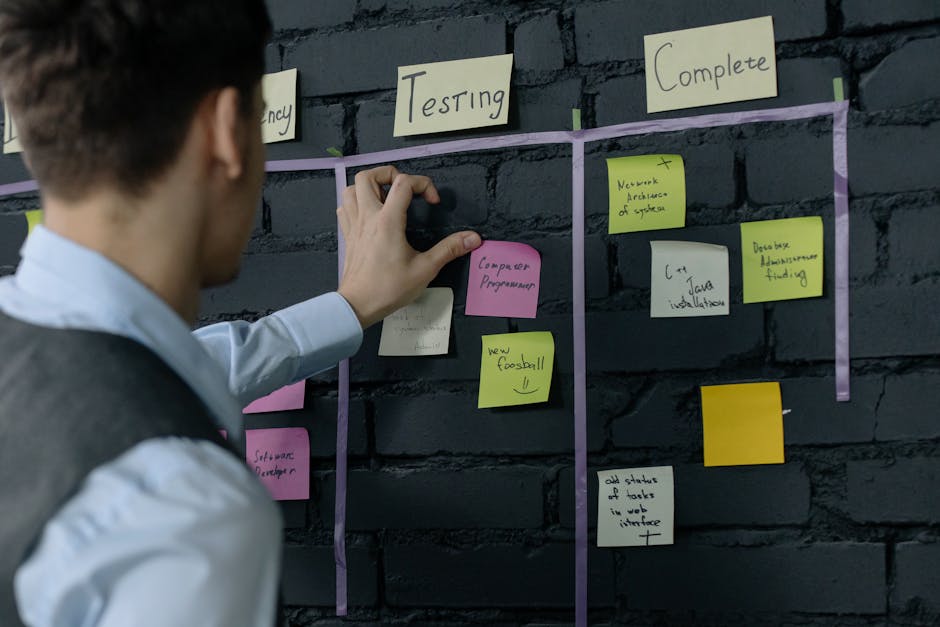
One of the fastest ways I’ve seen teams reduce real risk isn’t by buying a new tool. It’s by running a Threat Modeling Workshop: Turning Business Goals into a Prioritized Attack Surface Plan and getting everyone to agree on what “important” actually means before anyone starts scanning.
When your roadmap is busy, it’s easy to treat security like a side quest. But attackers don’t care about your sprint schedule. They go after the most valuable paths first.
In this guide, I’ll show you how to turn business goals into a prioritized attack surface plan using a workshop you can run in 2 hours. You’ll leave with a clear list of “what to protect first,” not just a pile of scary threat lists.
Threat Modeling Workshop: the goal is a prioritized attack surface, not a threat list
A threat modeling workshop is a structured meeting where you map threats to business outcomes. Attack surface refers to all the places where an attacker can try to reach your systems—apps, APIs, cloud services, users, and even tricky admin paths.
Most teams mess up by collecting threats without sorting them. You’ll hear “SQL injection,” “phishing,” and “credential stuffing” and then nothing changes. The fix is simple: tie each risk to a business goal and a measurable impact.
Here’s the key idea I use in every workshop I run: if we can’t explain why a thing matters to the business, we don’t prioritize it.
In 2026, this approach lines up with what many security teams are expected to do in practice: show progress in terms leadership cares about—downtime, data exposure, fraud, and customer trust. It’s also how you make the security work “count” during audits.
Before the workshop: prepare a one-page business goals brief
The workshop goes well or fails based on what you prepare beforehand. Spend 45 minutes collecting inputs, and you’ll save hours of arguing later.
Ask for a one-page brief from Product, Engineering, and Ops. Keep it short. You want answers, not essays.
What to collect (and what to skip)
Bring only the data you can use to prioritize. Skip long architecture PDFs unless they clearly show request flows.
- Business goals (3–6 bullets): examples: “Reduce fraud chargebacks by 30%,” “Launch EU checkout by Q3,” “Keep uptime above 99.95%.”
- Top customer journeys: signup, login, checkout, data export, support ticket, admin operations.
- Key systems: web app, mobile app, identity provider, payment provider, ticketing tool, analytics pipeline.
- Known issues: incidents from the last 12–18 months, big bug classes, audit findings.
- Constraints: compliance needs (like PCI), release dates, major platform changes.
If you have previous security findings, link them to business goals. For example: “We had API auth bypass findings” becomes “This risks account takeover, which conflicts with the ‘reduce fraud’ goal.”
In our blog cluster, this fits nicely with the kind of practical work covered in incident response playbooks (because you’ll want to know what happens after something goes wrong, not just what could go wrong).
Run the Threat Modeling Workshop: a 2-hour agenda that produces a plan

The workshop needs a structure. If you don’t, it turns into a general security rant.
I use a simple 2-hour agenda that works with cross-functional teams (engineering + security + ops + product). You can run it on Zoom or in a room with a whiteboard.
Agenda (2 hours)
- 0–15 min: Set the rules and define success
- Outcome: a prioritized attack surface plan with owners and next steps.
- Rule: no debate about vulnerabilities without impact to goals.
- 15–40 min: Map business goals to high-level processes
- Write each goal on the board.
- For each goal, list the 1–3 processes that make it happen.
- 40–70 min: Identify attack surface by “entry + trust boundary”
- Trust boundary is where responsibility changes (for example: browser to API, or app to database).
- List every entry point into that boundary.
- 70–95 min: Generate threats only for the top paths
- Do not list threats for everything. Pick top 2–3 journeys first.
- Focus on “what attacker wants” and “what could go wrong.”
- 95–115 min: Score and prioritize (impact + likelihood + effort)
- Use a simple scoring model (shown below).
- Decide what goes into the first 30–60 day plan.
- 115–120 min: Assign owners and next steps
- Each top item gets an owner, a due date, and a test plan.
If you only run a threat list step, you’ll get noise. This agenda forces the output to be a working plan.
Turn business goals into an “attack surface map” (with a scoring model)
The best output is a map that leaders can understand. It should show which system parts matter most and why.
Start by turning each business goal into a set of “assets” to protect. Assets are the things you’re actually trying to defend—money flows, user accounts, protected data, and uptime.
Then link assets to attack surface areas.
Step-by-step: build your prioritized attack surface plan
- Pick your top 3 business goals for this workshop. If you try to do all goals, the plan gets vague.
- Example: “Reduce fraud,” “Meet PCI deadlines,” “99.95% uptime for checkout.”
- List customer journeys for each goal.
- Fraud goal often ties to login, checkout, and password reset.
- Uptime goal ties to checkout, payment status callbacks, and autoscaling.
- For each journey, mark entry points.
- Web app UI, mobile app, APIs, webhooks, admin console, SSO login, email/SMS flows.
- Also include “internal entry points” like background jobs and scheduled tasks.
- Draw trust boundaries as boxes.
- Browser → API, API → database, app → identity provider, app → payment gateway.
- Score risk for each attack surface area using impact, likelihood, and effort.
A scoring model you can run in the room
Use a 1–5 scale for each factor. Keep it consistent across the workshop.
- Impact (1–5): how badly the business outcome gets harmed.
- Likelihood (1–5): based on exposure and past patterns, not vibes.
- Effort (1–5): how hard it is to fix or reduce risk (1 = easy, 5 = hard).
Then compute a “Priority Score” like this:
Priority Score = (Impact × Likelihood) / Effort
That formula matters because it stops teams from always picking the easiest bug. You’ll still be able to justify why you’re going after the hard-but-important parts first.
Example: checkout-related attack surface areas
| Attack surface area | Why it matters to goals | Impact | Likelihood | Effort | Priority Score |
|---|---|---|---|---|---|
| Payment status webhook endpoint | Fraud + uptime during payment confirmation | 5 | 3 | 3 | (5×3)/3 = 5.0 |
| Checkout API auth checks | Account takeover → fake orders | 5 | 4 | 2 | (5×4)/2 = 10.0 |
| Admin order management UI | Insider and external abuse risk | 4 | 2 | 2 | (4×2)/2 = 4.0 |
This is the kind of table that helps you move from “we should secure everything” to “we’ll fix these three paths first.”
What most people get wrong: confusing “attack surface” with “all vulnerabilities”
Here’s a mistake I’ve made early in my career, and I still see it today: people count every vulnerability they can find and call it “attack surface coverage.” That’s not the same thing.
Attack surface is about where attackers interact with your system. Vulnerabilities are about what can go wrong at those places. You want both, but you prioritize based on interaction paths and business impact.
For example, a rarely used admin endpoint might have a medium bug, but if it’s the only way to revoke payment methods, it becomes high priority.
Another common issue: teams score likelihood based on fear of headlines. Instead, tie likelihood to measurable facts. Ask:
- Is the endpoint internet-facing?
- Does it accept untrusted inputs?
- Is it reachable by normal users, or only by admins?
- Do we have rate limits and monitoring?
If you want a way to connect this work to real-world events, your 2026 threat trends coverage can help your workshop attendees understand why certain attacker methods are active right now.
People Also Ask: common questions about threat modeling workshops
How often should we run a Threat Modeling Workshop?
I recommend running a workshop for each major release train or when a system changes in a big way (new identity flow, new payment provider, new cloud region, new admin features). For most teams, that lands around every 6–12 weeks.
Then do smaller “refresh” sessions for new features only. A 30–45 minute follow-up beats redoing the entire map every time.
If your environment changes constantly (for example, a platform team serving many products), you may need a quarterly deep workshop and monthly mini sessions. The point is to keep the plan aligned with how you operate today, not how you operated last year.
What tools do we use after the workshop to validate the plan?
Use tools to test the top prioritized items, not to replace the workshop.
- API testing: Postman collections or REST client suites to verify auth rules, rate limits, and error handling.
- SAST/Static scanning: tools like Semgrep or CodeQL to find obvious issues in code paths tied to the workshop results.
- DAST/Testing: OWASP ZAP for web and API endpoint checks where it makes sense.
- Cloud posture: AWS Security Hub, Azure Security Center, or GCP Security Command Center for exposure checks.
One important lesson from practical work: scanners find bugs, but your workshop finds the right bugs to test first.
If your plan includes auth and access control, pair scanning with real “abuse” testing. Try actions as the wrong user, wrong role, wrong tenant, and missing scope. That’s usually where the ugly business impact comes from.
Should we use a formal method like STRIDE?
STRIDE is a common threat modeling framework (Spoofing, Tampering, Repudiation, Information disclosure, Denial of service, Elevation of privilege). It’s useful, but it can also turn into a checkbox exercise.
My approach is simpler: use STRIDE ideas when you need a structure, but keep the output tied to attack surface and business impact. For example, if you use STRIDE and land on “Elevation of privilege,” you still must decide which entry point and which business goal it impacts.
If you’re new to threat modeling, STRIDE helps you avoid forgetting major categories. If your team already knows the basics, focus energy on prioritization and ownership.
How do we handle third-party services in the attack surface plan?
Third parties are part of your attack surface because your system’s trust depends on them. Treat them like a trust boundary.
In the workshop, list the external services that matter: payment gateways, identity providers, email/SMS delivery, logging platforms, support tools, and data processors.
Then score risks around:
- How you authenticate to them (tokens, signed requests, API keys).
- How they call back to you (webhooks, status callbacks).
- What you do when they fail (retry logic, safe defaults, circuit breakers).
I’ve seen incidents where teams “secured the app” but accepted spoofable webhook calls. The fix wasn’t inside the third party—it was in the verification logic you own.
From workshop output to a 30–60 day prioritized action plan

A workshop without an action plan is just a meeting with extra steps. This is where you turn the attack surface plan into work you can track.
My recommended first sprint of fixes (30 days)
Pick 3–6 top items from your prioritized table. You want enough progress to show leadership movement, but not so many items that nothing gets finished.
For each item, add a “testable” definition of done. Here are examples I’ve used:
- Auth checks: “User can’t access checkout endpoints for another account (verified by negative tests in staging).”
- Webhook validation: “All webhook calls require a valid signature header and correct timestamp window; invalid calls get 401/403 and are logged.”
- Admin hardening: “Admin endpoints enforce re-auth and MFA; role checks are verified for every API route.”
- Rate limiting: “Login and password reset endpoints enforce IP + account throttles; verify with load tests and confirm alerts fire.”
Also make sure each item has a data owner and an engineering owner. Security tickets without owners stall fast.
Then a 60-day plan for deeper work
After the first 30 days, move to structural fixes. These often include:
- Better session management (short-lived tokens, refresh rules).
- Stronger tenant isolation (row-level security or consistent query filters).
- More reliable monitoring and alert rules tied to abuse cases.
- Reducing “sharp edges” like dangerous admin features or unsafe debug endpoints.
My opinion: monitoring should be part of the attack surface plan, not an afterthought. If you fix an endpoint but can’t detect abuse, attackers will keep probing until they find a new gap.
Link workshop results to security testing and incident readiness
To be useful, your attack surface plan has to connect to both prevention and response. Otherwise you’re just guessing what will happen during an incident.
At the end of the workshop, ask one extra question for each top item: “If this fails, what do we watch for and how do we respond fast?”
That’s how you connect workshop output to response workflows, not just code fixes.
If you want more practical details for the “what do we do when something goes wrong” part, this also connects well with IAM and access control hardening and SQL injection case studies in our site library (different focus, same theme: test the real paths attackers take).
Whitehat workshop tips from the field (2026 best practices)
Security teams often look for “enterprise” processes. In my experience, the best results come from plain rules and clear ownership.
- Bring a decision-maker, even if they’re quiet. Someone who can say “yes, we’ll fund the fix” keeps the plan from dying.
- Keep the scope tight. If you try to cover the whole company in one day, you’ll get generic notes. Cover one product or journey well.
- Use real examples from your logs. Show one or two suspicious events. Then the likelihood scoring becomes grounded in evidence.
- Don’t turn threat modeling into blame. People change behavior when the workshop is about risk reduction, not pointing fingers.
- Record the “why.” When you prioritize, write the sentence that ties the risk to a business goal. Future you will thank you.
One more angle I don’t see enough: include “human entry points.” Account recovery, admin approval workflows, and customer support processes often become attack paths. Attackers exploit trust, not just code.
Conclusion: leave the workshop with a prioritized plan you can actually execute
A Threat Modeling Workshop: Turning Business Goals into a Prioritized Attack Surface Plan works when it produces decisions, not just ideas. Tie each attack surface area to a business goal, score it with a simple model, and assign owners with testable “done” criteria.
If you do only one thing after reading this, do this: take your top business goal and map the top 2 customer journeys to entry points and trust boundaries. Then pick 3 fixes you can validate in staging within 30 days. That’s how security becomes real progress, not a never-ending list.
Featured image alt text (for your page): Threat Modeling Workshop using prioritized attack surface map for web APIs and trust boundaries



